Reports
The Overdue, Find Gage, Calibrate and Check-in pages have Print and Preview buttons.
The report template files that are being used are entered into the boxes on the Settings-Reports page.
When you print a report the appropriate data is put into the report template then printed.
Gage Control comes with examples for all the report templates.
When you filter the data in the grids, the data is also filtered in the reports.
Report Editor
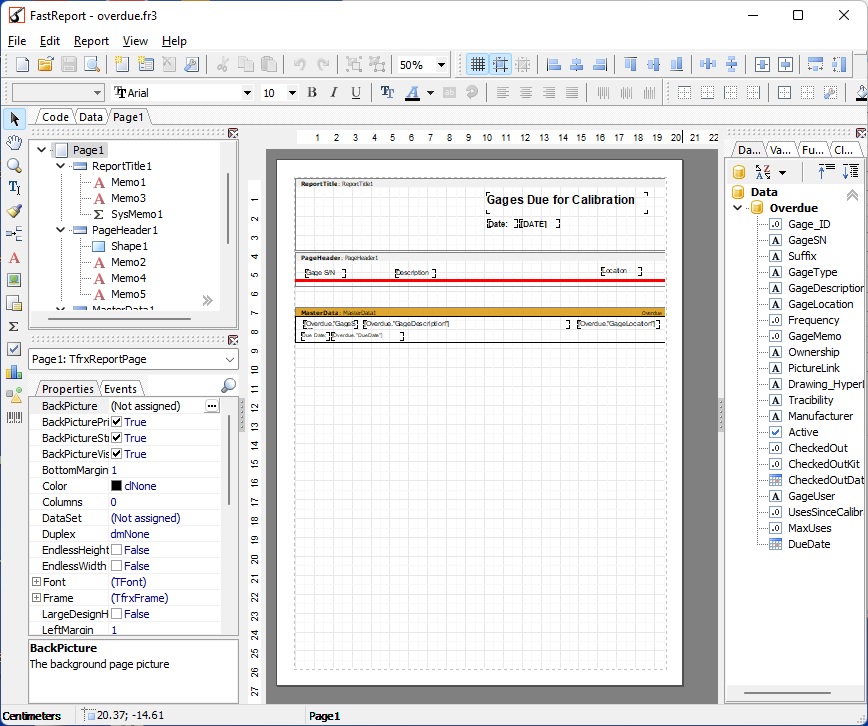
Gage Control comes with its own built-in report editor. The Reports are printed using a user defined template. The template can be created and edited with the report editor. Clicking on the "Edit" button next to the report on the Settings-Reports page will open the report editor. Any number of different templates can be made for different forms of output. There is a help file with information on how to create and edit the templates. On the Settings menu press "Report Help" (ReportDesignerFR.CHM)