Embedding the Font in PDF and Word files.
In order to embed the font into PDF and Word files you need to install the embeddable version of the font.
Look in your folder where the IMS program was installed and in the Font folder and there is font installation program.
Or it can be started from the system menu in the IMS Wizard window.
Or the same installer is available for download on the web page.
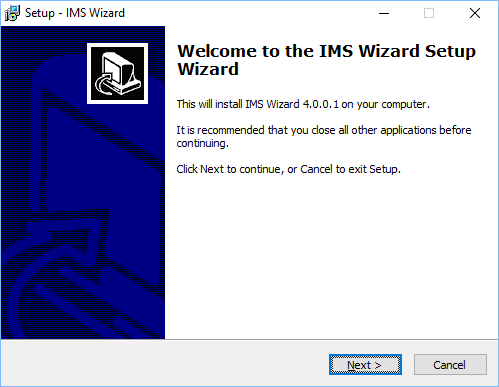
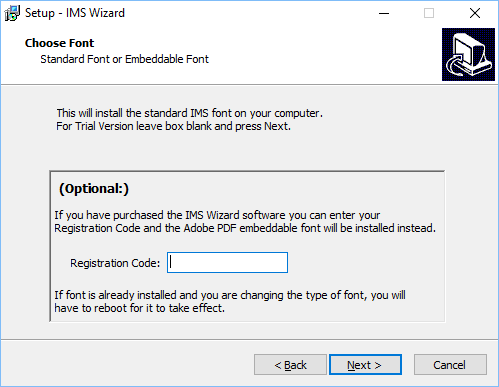
In case you get an error that says access is denied, it is probably because the font is already in use by some program on the computer. Delete the IMS font from the font folder or reboot. Then try the installation again.
PDF Files in Adobe Acrobat
Checking the PDF file in Adobe Reader
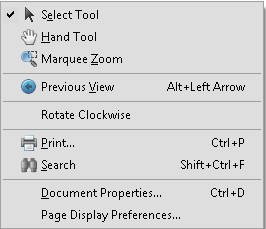
You can open any PDF file in Adobe Reader and check on the status of the fonts by right-clicking on the open document to bring up the menu. Choose Document Properties.
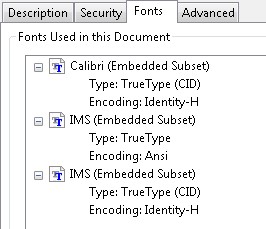
In the Fonts tab it will show all the Fonts used in the file.
Notice here that next to the IMS font it does not say "(Embedded Subset)". That means you are not using the embeddable IMS font and the font text will only be seen on computers that have the IMS font already installed.
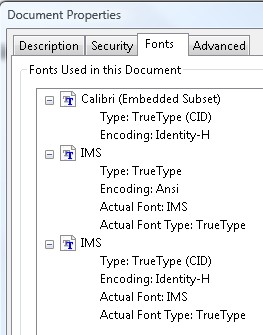
When the IMS embeddable font is used Adobe Acrobat will be able to embed the fonts into the PDF document so other people will be able to view the symbols in the PDF file even if they don't have the font installed on their computer. Now next to the font it says "(Embedded Subset)".
Embedding the Font into Microsoft Word Files
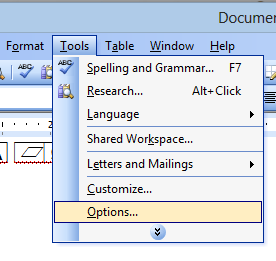
Choose Options from the Tools menu. Word displays the Options dialog box.
Make sure the Save tab is selected.
Ensure the Embed TrueType Fonts check box is selected.
If you will be using a small number of characters in a particular font, choose the Embed Characters In Use Only check box.

Click on OK.
Work with your documents as normal.
Embedding the Font into Microsoft Excel Files
Fonts cannot be embedded in Excel files, so the user looking at the file in Excel will have to have the IMS font installed on their computer. They dont have to purchase the IMS Wizard, they can download the free font installer.
Copyright © 2026 i-Logic Software