Calculate: Calculator
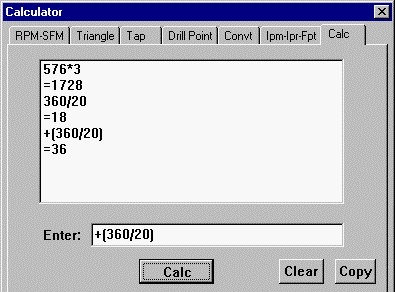
A scrolling list box records all the calculations you perform.
Enter the expression and press the Calc button or Enter on the keyboard. If the first character is an operator then it will be operated on the last result.
Operators: +, -, *, /, ^, :, (, )
Functions: ABS, ATAN, COS, EXP, LN, ROUND, SIN, SQRT, SQR, TRUNC
Also function for finding Mean of two numbers. Ex: mn(1.034,2.012)
Clear - clears the results listing.
Copy - highlighting lines in the list box and pressing Copy will put them in the windows clipboard.
Double clicking on any of the items in the result list will bring it up in the Enter box.
To start a calculation with a negative number put a parentheses around the number (or around the whole calculation) otherwise, it will assume that you want to subtract it from the previous answer. Ex: (-3.477)-.56
_________________________________________________________________
Copyright © 2020 i-Logic Software